Getting Contracts Signed by Clients With the Trusted Profile, No Printer Needed
A paper contract round trip took six working days in my office. The Polish trusted profile cut it to an afternoon, provided the office prepares the file and the instructions so the client has nothing to guess.

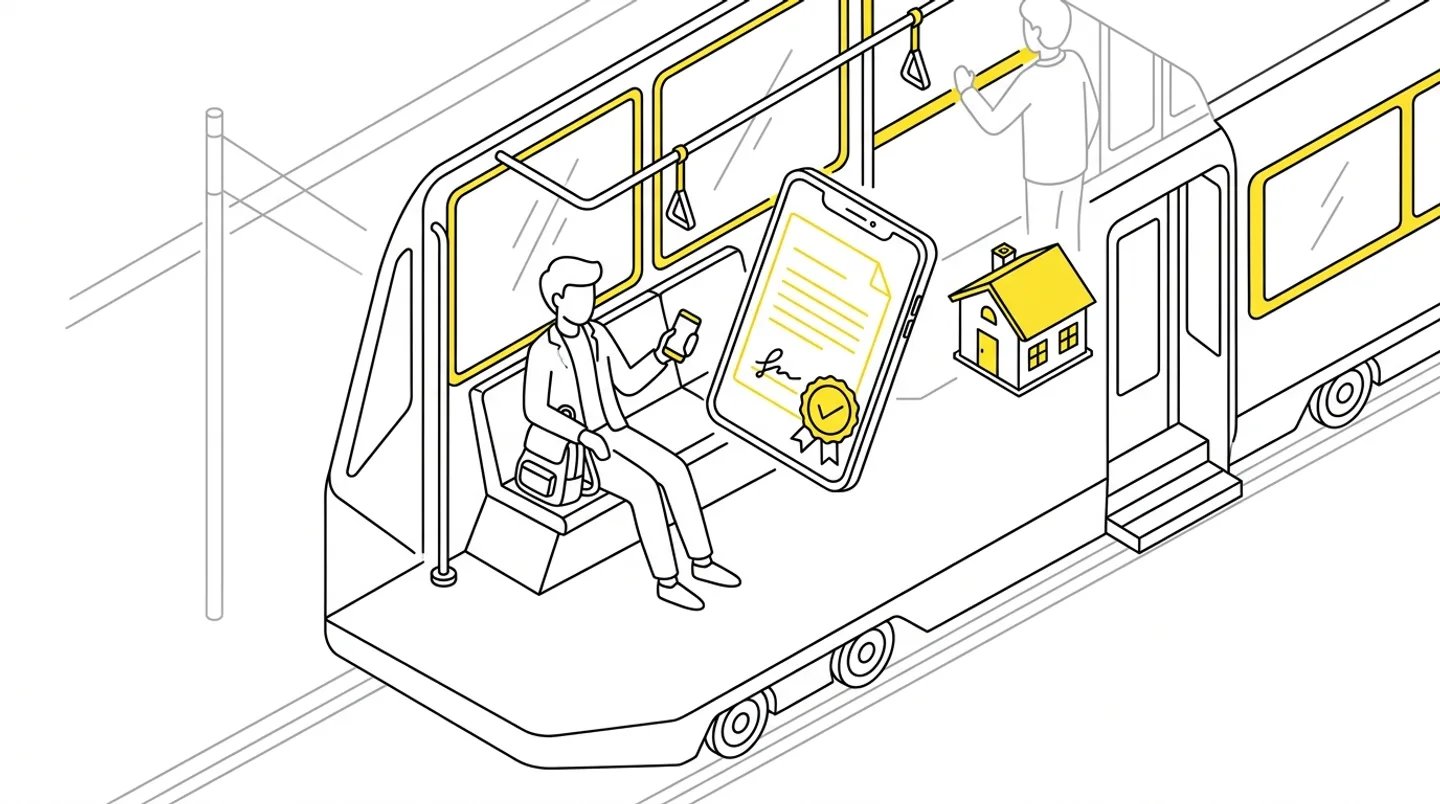
The design contract goes out by email, the client prints twelve pages, signs each one, photographs them under a desk lamp and sends them back. We do the same from our side. A week later there are two files, each with one signature, and nobody is sure which one counts. I once timed that loop in my office: six working days from sending the contract to getting the scan back.
The trusted profile (profil zaufany) cuts it to an afternoon. Whether the client manages it on the first attempt, though, depends on your preparation rather than their goodwill.
In short
- A design services contract requires no special form, so a trusted-profile signature from both sides is entirely sufficient.
- Send a PDF. For other formats gov.pl returns an XML signature file and your client stalls on step one.
- All signatures must land in one file: the second person signs the version the first one signed, not the original.
- Three sentences of instruction under the link make more difference than anything else in this process.
When a trusted-profile signature is enough
The trusted profile is a verified identity in Poland’s public administration systems, and the trusted signature is a signature made with it on gov.pl. In dealings with authorities it carries the force of a handwritten signature, which is why building permit applications are signed this way.
It works for a contract between the practice and the client too, because a design services contract requires no special form. Both parties have to sign, and each signature has to be attributable to a person. Notarial form is required for other acts, such as transferring ownership of land, and there the trusted profile does not replace a notary.
The practical line runs like this: a standard house design contract, an amendment, a declaration of the right to use the property, a neighbour’s consent — trusted signature. An unusual or high-value contract in a consortium — a question for a lawyer before you send it.
What to set up on your side
Most failed signing attempts come down to three things the office controls, not the client.
Format. Send a PDF. For a PDF, gov.pl returns a signed PDF; for anything else it returns an XML file the other side usually cannot open. If you write contracts in Word, export to PDF before sending, even when you expect revisions.
One file, in sequence. When two or three people sign — you, the client, their spouse — each one signs the version signed by the previous person. Two people signing the original separately produces two files, neither of which holds the full set of signatures. It is the most common mistake in an email loop and the only one that really costs time, because it surfaces at the very end.
A place for the returned file. Decide where the signed version lands before you send the first contract. A project folder with a “Signed” subfolder will do. Without it, signed PDFs stay in the inbox and three months later nobody knows whether the amendment was ever signed.
What to write to the client
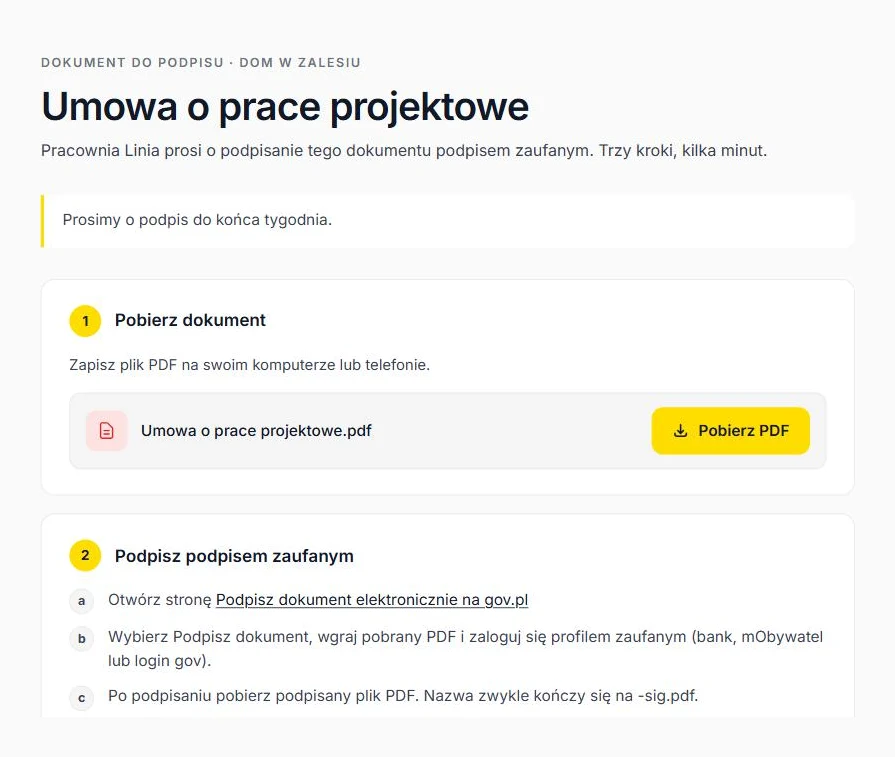
Your client does this once in their life, so the instruction has to be shorter than their doubts. This message works for me:
Attached is the contract for signature. To sign it, go to gov.pl, choose “Podpisz dokument elektronicznie”, select the trusted signature, point it at this file and log in the same way you do for your tax return: through your bank, the mObywatel app, or a login with an SMS code. You will get back a file ending in
-sig.pdf— reply to this email with it. It takes about fifteen minutes the first time.
Three things worth keeping in that message: the name of the gov.pl option in quotes, a comparison to something the client already does, and how long it takes. The last one halves the number of phone calls.
If you work with a client portal, you send a link instead of an attachment, and the client gets the download, the instructions and the upload of the signed file on one page. Then they don’t have to remember which email to reply to.
Traps I’ve hit myself
- A signature from the spouse’s account. Somebody happened to be logged in, and the file comes back signed by the wrong person. Before filing the contract, open the signature panel in a PDF reader and check the name.
- An edit after signing. Changing a single full stop invalidates the signature and the reader flags it immediately. A revision means a new file and the whole loop starts again, which is why it pays to close the negotiation before sending rather than during.
- Signing a scan. The client prints, signs by hand, scans, and only then applies the trusted signature. Formally valid, in practice unreadable and hard to verify. Ask for a signature on the original PDF.
- Several versions in one email thread. With three signatories that thread holds five attachments with near-identical names. That’s when version numbers in filenames, or a portal that always serves the current version, stop being a nicety.
What it changes in the office
The obvious gain is time: six working days become an afternoon. The less obvious one is that the “I’ll print it at the weekend” stage disappeared, the one that used to push the contract back by ten days. An electronic signature doesn’t invite postponement, so most people deal with it straight away.
The third change has nothing to do with the contract itself. An amendment after a scope change, the declaration of the right to use the property for the permit application, a neighbour’s consent to a derogation — all of them used to travel on paper, and all of them go the same way now. That was the point where paper left my projects entirely, not just the contract.
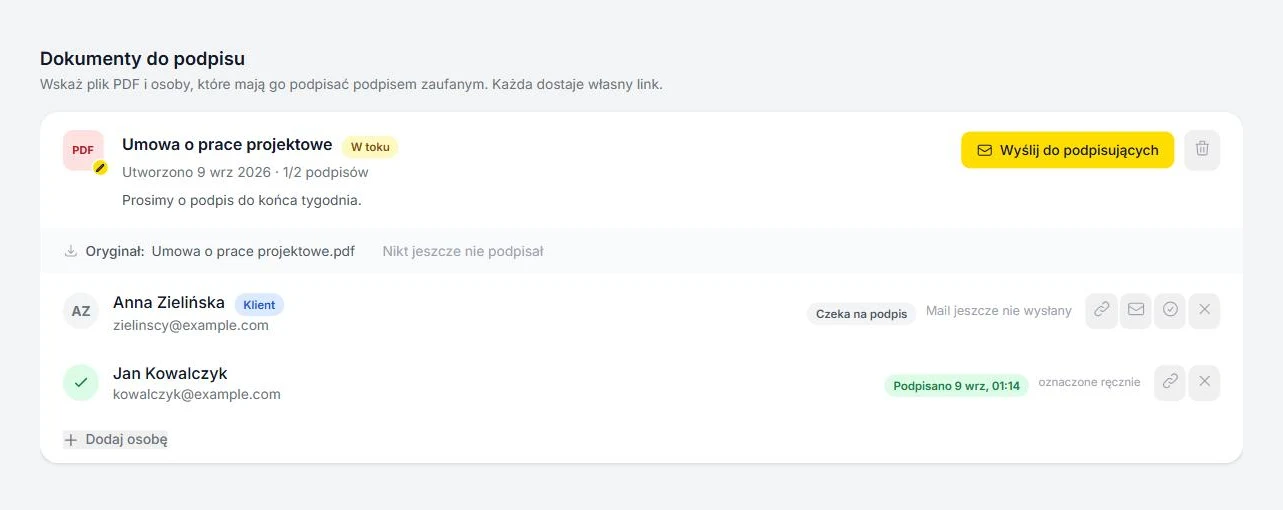
If you send a couple of documents for signature a month, email and tidy folders are enough. At a dozen, you start book-keeping in your head: who received it, who signed, who needs a reminder. In ArchiFlow every document for signature has a list of signatories with statuses, a login-free link for the client, and the signed file filed back into the project folder — so that none of it lives in your memory or your inbox.
ArchiFlow gives investors real-time visibility into project progress — through one link from the office, with a login if they want one. Ask your architectural office if they use ArchiFlow.
Learn more →